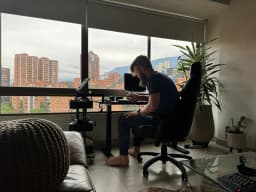
A projector media center I run from my phone
A small computer drives the projector. My phone is the remote.
I have a projector in the office and a small computer behind it. The computer runs a fullscreen Chrome window. My phone is the remote.
The server
The whole thing is one Python file with no dependencies. It serves a remote control page and a small API. Launch an app, send a key, change the volume, turn the projector on or off.
The projector takes about thirty seconds to wake up. The server watches the HDMI connector and only calls it on once the screen is actually showing something. Until then the remote locks its controls, so presses don't stack up on a projector that isn't listening yet.
State goes to the phone over server-sent events. Commands are plain POSTs.
Typing and pointing
Typing on a TV with arrow keys is bad. The remote has a text field that sends letters to the screen as I type, a paste button and a trackpad. There's also a live screenshot I can tap to click on the projector.
Skipping intros
Chrome runs with remote debugging on. The server talks to it directly and looks for skip intro and next episode buttons. When one shows up, a skip button shows up on my phone. There's an auto skip mode too.
Netflix doesn't put those buttons in the page in a way I could find. For Netflix it reads the player's own skip markers and seeks past them.
Small things
Turning the projector on lowers the office shade. Both take a while, so they run at the same time.
The projector advertises 4K as its preferred mode. The panel is a lot lower than that. Driving 4K made the HDMI link flaky for no visible benefit. It runs at 1080p now, and there's a button on the remote that re-trains the link if it drops.
The code lives in one repo and deploys with one command. Before that, copies on two machines kept drifting apart.
- #making
- #home automation
- #media center